

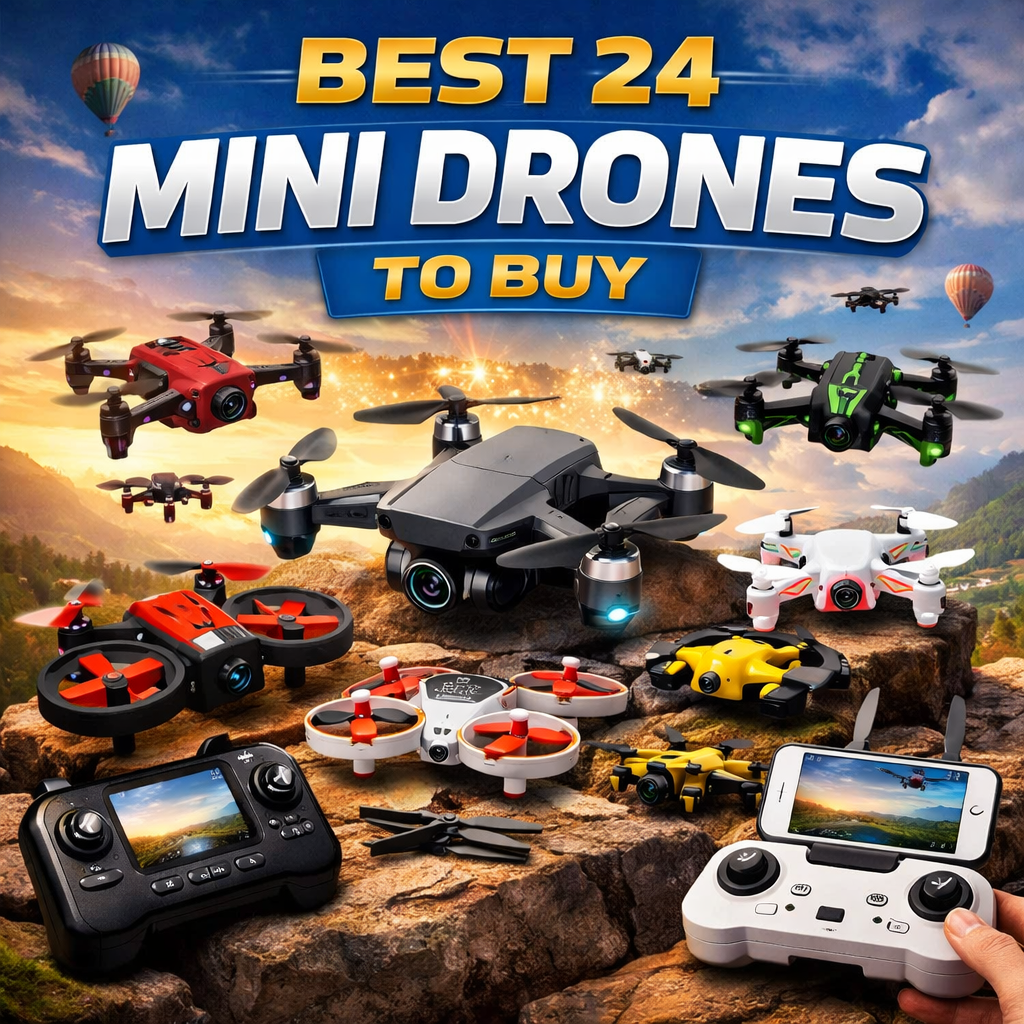
The best mini drones for kids on Amazon are reviewed below.
Mini drones have evolved from novelty toys into accessible, high-tech tools that teach children the fundamentals of aviation, spatial awareness, and aerial photography. Because modern mini drones are highly optimized for smaller hands and lower budgets, they are consistently among the most requested gifts for younger age groups.
However, buying a drone for a child requires filtering out flashy marketing and focusing on practical safety. A drone that lacks structural protection or automated flight assistance will result in a frustrating experience and a broken toy on the first day. To help you navigate the market, we evaluated the most popular models based on crash durability, ease of control, and age appropriateness.
The Regulatory Advantage: Why “Mini” Matters
Before purchasing, it is important to understand the legal distinction of a toy drone. According to the Federal Aviation Administration (FAA) and similar international aviation bodies, drones weighing less than 250 grams (0.55 lbs) are generally exempt from mandatory registration and Remote ID requirements. The mini drones featured in this guide fall well below this weight threshold, meaning they can be flown in your backyard straight out of the box without regulatory paperwork.
3 Non-Negotiable Safety Features for Children
Drones without the proper safety equipment are a hazard to fingers, pets, and household furniture. Before selecting a model, ensure it includes these three core mechanisms:
-
Barometric Altitude Hold: This is the most critical feature for beginners. Rather than requiring the pilot to manually balance the throttle, Altitude Hold uses air pressure sensors to lock the drone at a steady height. If a child panics and lets go of the controller, the drone simply hovers in place instead of crashing to the floor.
-
Physical Propeller Guards: Drone blades spin at thousands of revolutions per minute (RPM). You must look for models with fully enclosed cages or thick plastic ring guards. This prevents the spinning blades from causing finger lacerations and allows the drone to bounce off walls harmlessly.
-
One-Key Takeoff and Landing: Launching a drone manually requires precise micro-adjustments on the joystick. A one-key takeoff feature uses automation to pop the drone roughly 3 to 5 feet into the air and stabilize it, allowing the child to focus purely on directional steering.
1 – SNAPTAIN S5C Drone:
Snaptain S5C PRO 1080P Camera Drone with Remote Controller:
| Feature | Specification |
|---|---|
| Product Name | Snaptain S5C PRO 1080P Camera Drone with Remote Controller |
| Original Price | $99.99 |
| Sale Price | $109.99 |
| User-friendly | Simply press one button, it will take off, land, or return to your command. Smart voice control, headless mode, and the fascinating 360° Flips & Rolls come handy even for the drone newbies. |
| Farther & Clearer | The SNAPTAIN S5CFHD provides video transmission within a range of up to 80m. Edit and upload instantly to Social Media by iPhone or a video transmission signal up to a scale of 80m. The video clips are automatically saved to the Micro SD card. |
| Powerful & Safe | Protective Propeller Guards to ensure a safe flight. High-quality ABS material to free your worries of a sudden shock or drop. Best choice with enough fun for beginners. |
| Steady & Trackable | Altitude-Hold function ensures a steady hover in the air at a certain altitude. Trajectory Flight function is the newest technology that by drawing a flight course on the touch screen on your smartphone, the drone will fly accordingly. |
SNAPTAIN S5C Elite: Best Overall for Photography Beginners
If your child is showing an interest in aerial photography, handing them a complex, expensive camera drone is a recipe for disaster. The SNAPTAIN S5C Elite bridges the gap perfectly, offering actual 1080p FHD video resolution wrapped in a highly forgiving, crash-resistant ABS plastic frame.
While older versions of this drone featured a grainy 720p camera, the upgraded “Elite” model captures crisp, 1080p video at 30 frames per second. It transmits this video directly to a smartphone via First Person View (FPV) up to a distance of 80 meters (262 feet).
What makes this our top pick for beginners is the underlying flight technology. It utilizes brushless motors—which are significantly quieter, more durable, and handle wind better than the brushed motors found in cheaper toys. Paired with optical flow positioning (a downward-facing sensor that reads the ground to maintain a rock-solid hover), kids can focus entirely on lining up their camera shots rather than fighting to keep the drone steady.
Technical Specifications
| Feature | Specification |
| Brand / Model | Snaptain S5C Elite |
| Camera Quality | 1080p FHD (Adjustable 90° FOV) |
| Flight Time | 30 minutes total (15 mins per battery) |
| Control Range | 80 meters (262 feet) |
| Motor Type | Brushless (High wind-resistance) |
| Safety Features | Snap-on Propeller Guards, Optical Flow Hover |
Our Field Test Verdict
-
Why Parents Love It: The drone includes two 1200mAh batteries in the box, providing a genuine 30 minutes of combined flight time—double what most toy drones offer. It also includes “Trajectory Flight,” a feature where kids can physically draw a flight path on their phone screen, and the drone will autonomously fly that exact route.
-
The Trade-off: While the camera quality is excellent for the price, the camera angle must be adjusted manually before takeoff; you cannot tilt the camera up or down remotely while the drone is in the air.
Pros & Cons
-
Pros:
-
Upgraded brushless motors drastically improve outdoor stability.
-
1080p camera provides usable, clear footage for social media or family videos.
-
One-button launch and landing eliminate the hardest part of flying.
-
Includes a premium carrying case and two batteries.
-
-
Cons:
-
The 80-meter FPV transmission range limits long-distance exploration.
-
Screwing on the propeller guards takes a few extra minutes during initial setup.
-
2- Robolink CoDrone Lite Drone:
| Feature | Specification |
|---|---|
| Brand | Robolink |
| Model Name | CoDrone Mini |
| Price | $77.95 |
| Weight | 7.05 ounces |
| Control Type | Remote Control |
| Battery Composition | Lithium Polymer |
| Batteries Included | Yes |
| Remote Control Included | Yes |
| Skill Level | Beginner |
| Age Range | 8+ & Adult |
| Educational Focus | STEM, Coding |
| Programming Languages | Blockly, Python |
| Compatibility | Mac, PC, Chromebook |
| Flight Time | 5 minutes |
| Charging Time | 40 minutes |
| Tutorials | Free online tutorials available |
| Special Features | Durable, safe, affordable, easy to use |
Robolink CoDrone Mini: Best for STEM & Coding
For parents looking to combine playtime with high-value education, the Robolink CoDrone Mini is in a league of its own. Rather than functioning just as a remote-controlled toy, this is a programmable robotics platform designed specifically to introduce children to the fundamentals of coding.
To make the learning curve manageable for novices, the drone is compatible with Blockly (a visual, drag-and-drop programming language perfect for younger kids) and Python (a text-based language for older students transitioning to real-world coding). Kids can write code on their PC, Mac, or Chromebook to create custom flight patterns, execute 3D flips, and program the remote control’s logic.
While the older “CoDrone Pro/Lite” models relied on Bluetooth, the newer CoDrone Mini utilizes a 2.4GHz Radio Frequency (RF) connection. This is a massive upgrade for classroom or group settings, as it drastically reduces signal drops and pairing conflicts. It also features a more durable, compact frame that comes pre-paired with its remote, getting kids straight into the coding action.
Technical Specifications
| Feature | Specification |
| Brand / Model | Robolink CoDrone Mini |
| Programming Focus | STEM Education (Blockly, Python) |
| Flight Time | Under 5 minutes per charge |
| Control Range | 48 meters (160 feet) |
| Sensors | 3-Axis Gyroscope, Air Pressure (Altitude) |
| Compatibility | PC, Mac, Chromebook |
Our Field Test Verdict
-
Why Parents Love It: The educational value is unmatched. Instead of mindlessly flying around a room, kids actively problem-solve. When a custom flight path fails, they must debug their own code to figure out why. The manufacturer also provides extensive, free online tutorials to guide kids step-by-step through their first programs.
-
The Trade-off: To keep the weight at a microscopic 20 grams, the battery is very small. You will only get about 5 minutes of actual flight time per 40-minute charge, making extra batteries a virtual necessity for longer coding sessions.
Pros & Cons
-
Pros:
-
Incredible educational tool for learning Python and Blockly.
-
RF communication provides a highly stable connection compared to Bluetooth.
-
Ultra-lightweight design prevents damage to walls and the drone itself.
-
Pre-paired remote control eliminates frustrating setup times.
-
-
Cons:
-
Very short 5-minute flight time.
-
Lacks optical flow or infrared obstacle detection sensors.
-
3 -DEERC D20 MINI Drone:

DEERC D20 Mini Drone Specs
| Feature | Specification |
|---|---|
| Brand | DEERC |
| Model Name | D20 Mini Drone |
| Price Range | $32.44 – $49.99 (Currently unavailable) |
| Age Range | 14+ |
| Camera | 720p HD |
| First Person View (FPV) | Yes |
| Flight Time | Up to 10 minutes per battery (2 included) |
| Charging Time | Not specified |
| Control Type | Remote Control and App |
| Special Features | 360° Flips, Gyroscopic Stabilization, Speed Adjustment, Altitude Hold, One Key Start/Landing, Emergency Stop, Propeller Guards, Voice Control, Gesture Selfie |
| Weight | 69 grams |
| Skill Level | Beginner |
| Video Capture Resolution | 720p |
| Connectivity Technology | Wi-Fi |
| Battery Capacity | 0.51 Watt Hours |
| Dimensions | 19616243mm |
| Max Control Range | 40m |
| Max Flight Distance | 131ft |
DEERC D20 Mini Drone: Best for Indoor Flying & Interactive Controls
For younger kids who might find standard dual-joystick controllers intimidating, the DEERC D20 offers a highly interactive, tech-forward flying experience. Rather than relying solely on the remote, kids can control this drone using simple voice commands (like “Take off” or “Landing”) and hand gestures. Posing with a “V” peace sign or holding up an open palm triggers the 720p camera to automatically snap a selfie, making it incredibly engaging for children.
Weighing in at just 69 grams, the D20 features a highly compact, foldable design that fits easily into a backpack. Safety is clearly a priority in its engineering. Alongside standard propeller guards, it features an Emergency Stop button that instantly cuts power to the motors if a crash is imminent. It also includes a low-power alarm that beeps to alert the pilot when the battery is dying, preventing the drone from abruptly falling out of the sky.
When paired with a smartphone, the drone provides a live First Person View (FPV) feed. Through the app, kids can also use the Waypoint feature to draw a flight route on the screen, which the drone will then follow autonomously.
Technical Specifications
| Feature | Specification |
| Brand / Model | DEERC D20 Mini |
| Camera Quality | 720p HD (FPV enabled) |
| Flight Time | 20 minutes total (10 mins per battery) |
| Weight | 69 grams (No FAA registration required) |
| Safety Features | Emergency Stop, Low-Power Alarm, Prop Guards |
| Smart Controls | Voice Activation, Gesture Selfies, Waypoints |
Our Field Test Verdict
-
Why Parents Love It: The inclusion of two rechargeable batteries ensures a solid 20-minute play session, preventing the tears that usually follow a dead battery after just a few minutes. The voice and gesture controls are highly responsive indoors and make taking family photos fun and hands-free.
-
The Trade-off: While it features basic altitude hold (which keeps it from bouncing up and down), it lacks horizontal optical flow sensors. This means if you fly it outdoors in a slight breeze, it will drift sideways and require the pilot to manually correct its position.
Pros & Cons
-
Pros:
-
Voice and gesture controls make it highly accessible for young children.
-
Emergency stop and low-battery alarms protect the hardware.
-
Foldable, travel-friendly footprint.
-
Includes two batteries right out of the box.
-
-
Cons:
-
Lacks horizontal hovering stabilization (prone to drifting in the wind).
-
No forward-facing obstacle avoidance sensors.
-
Comparison Table of Mini Drones:
| Feature | Robolink CoDrone Mini | DEERC D20 Mini Drone |
|---|---|---|
| Brand | Robolink | DEERC |
| Price Range | $77.95+ | $32.44 – $49.99 (Currently unavailable) |
| Age Range | 8+ & Adult | 14+ |
| Educational Focus | STEM, Coding | None |
| Programming Languages | Blockly, Python | None |
| Camera | None | 720p HD |
| First Person View (FPV) | No | Yes |
| Flight Time | 5 minutes | Up to 10 minutes per battery (2 included) |
| Charging Time | 40 minutes | Not specified |
| Control Type | Remote Control | Remote Control and App |
| Special Features | Durable, Safe, Affordable, Easy to Use | 360° Flips, Gyroscopic Stabilization, Speed Adjustment, Altitude Hold, One Key Start/Landing, Emergency Stop, Propeller Guards, Voice Control, Gesture Selfie |
| Weight | 7.05 ounces | 69 grams |
| Skill Level | Beginner | Beginner |
4 Cheerwing W1Pro GPS Drone:

Cheerwing W1PRO GPS Drone Specs
| Feature | Specification |
|---|---|
| Brand | Cheerwing |
| Model Name | W1PRO |
| Video Capture Resolution | 1080p (front camera), 720p (bottom camera) |
| Connectivity Technology | Wi-Fi, USB |
| Item Weight | 0.5 pounds |
| Battery Capacity | 1800 mAh |
| Flight Time | Up to 18 minutes |
Additional Features
- Dual cameras
- GPS positioning
- Auto return home
- Follow me mode
- Gesture control
- Altitude hold
- One key take-off/landing
- Custom flight route
- Waypoint flight
- Surround fligh
- Double batteries
4. Cheerwing W1PRO: Best GPS Drone for Outdoor Exploration
When children are ready to transition from indoor hover-toys to outdoor flight, a drone with a dedicated GPS module becomes essential. The Cheerwing W1PRO is an excellent bridge into advanced flying, offering satellite-backed stability and a dual-camera system rarely found at this price point.
The W1PRO features a 1080p front-facing camera for standard landscape shots, paired with a secondary 720p downward-facing camera. This allows kids to switch perspectives mid-flight, capturing unique top-down aerial views without needing to land and manually adjust a gimbal.
However, the true value of this drone lies in its GPS integration. The GPS enables a true Auto-Return to Home (RTH) function. If the drone loses its connection to the controller, or if the battery drops to a critical level, the W1PRO will autonomously fly back to its exact takeoff coordinates. It also unlocks a hands-free “Follow Me” mode, allowing the drone to lock onto the pilot and track them automatically—perfect for filming bike rides, skateboarding, or runs across the park.
Technical Specifications
| Feature | Specification |
| Brand / Model | Cheerwing W1PRO |
| Camera System | Dual Setup: 1080p (Front) & 720p (Bottom) |
| Flight Time | Up to 18 minutes per charge |
| Navigation | GPS Positioning & Optical Flow |
| Safety Tech | Auto-Return to Home (Low Battery/Signal Loss) |
| Smart Controls | Follow Me, Palm Gesture Control, Waypoints |
Our Field Test Verdict
-
Why Parents Love It: The GPS Auto-Return feature provides immense peace of mind. Instead of watching a drone get carried away by the wind and lost in a neighbor’s yard, parents know the W1PRO will automatically return to its launch pad if something goes wrong.
-
The Trade-off: Because of the exposed motors and venting required for the stronger hardware, it is strictly not waterproof. Flying in damp conditions, light drizzle, or landing on wet grass can permanently short-circuit the internal electronics.
Pros & Cons
-
Pros:
* True GPS positioning prevents drone loss and eliminates wind-drifting.
* Dual cameras offer excellent versatility for aspiring videographers.
* “Follow Me” tracking and palm gesture recognition are highly responsive.
* Above-average 18-minute flight time on a single battery.
-
Cons:
* Requires a brief GPS compass calibration sequence before every flight.
* Not weather-sealed; highly vulnerable to moisture.
5 – SNAPTAIN A15H Drone:

SNAPTAIN A15H Foldable Drone with 1080P HD Camera FPV WiFi RC Quadcopter:
| Specification | Details |
|---|---|
| Control Distance | 80 meters |
| Maximum Flight Relative Height | 30 meters |
| Drone Battery | 2*3.7V 1100mAh (rechargeable) |
| Battery for Controller | 3*AAA/1.5V battery (not included) |
| Charge Time | About 90 minutes |
| Flight Time | 12 minutes |
| Video Resolution | 1080P |
5. SNAPTAIN A15H: Best Foldable Drone for Travel & VR
If your family needs a drone that can easily be packed into a backpack for camping trips or weekend hikes, the SNAPTAIN A15H is designed specifically for portability. Its motorized arms fold inward, drastically reducing its footprint, while the flexible propeller blades resist snapping while in transit.
From a technology standpoint, the A15H offers a 120-degree wide-angle 1080p camera that beams a live First Person View (FPV) directly to your smartphone. For older kids looking for an immersive experience, this FPV feed is fully compatible with mobile VR headsets, allowing them to experience the flight as if they were sitting in the cockpit.
The A15H also excels as a training platform thanks to its 3-tier speed adjustment. Beginners can launch using voice commands (like “take-off” and “forward”) and fly in the lowest speed setting to prevent over-correcting. As their thumb coordination improves, they can unlock the higher speeds and experiment with the dedicated 3D flip button.
Technical Specifications
| Feature | Specification |
| Brand / Model | SNAPTAIN A15H |
| Camera Quality | 1080p HD (120° Wide-Angle) |
| Flight Time | 24 minutes total (12 mins per battery) |
| Design | Foldable arms with flexible blades |
| Smart Controls | Voice Activation, Mobile VR Compatible |
| Flight Modes | Headless Mode, 3-Speed Settings, Altitude Hold |
Our Field Test Verdict
-
Why Parents Love It: The folding design makes it incredibly easy to store and carry. The inclusion of two modular batteries ensures kids get plenty of flight time, and the Headless Mode ensures beginners won’t lose their spatial orientation when the drone flies further away.
-
The Trade-off: While the camera sensor is 1080p, the drone lacks a mechanical gimbal for stabilization. This means any sudden movements or wind gusts will cause noticeable shake in the video footage.
Pros & Cons
-
Pros:
-
Highly compact, foldable chassis makes it the ultimate travel companion.
-
VR headset compatibility offers a unique, immersive flight experience.
-
3-speed transmission allows the drone to grow with your child’s skill level.
-
Voice controls work reliably for basic directional commands.
-
-
Cons:
-
No mechanical image stabilization results in shaky video footage.
-
The lightweight, folding frame performs poorly in windy outdoor conditions.
-
6 – Ryze Tech Tello – Mini Drone Quadcopter UAV for Kids:

Here’s the specification of the Ryze Tech Tello Mini Drone:
| Specification | Details |
|---|---|
| Brand | DJI |
| Model Name | Tello |
| Special Feature | Lightweight |
| Age Range (Description) | Kid |
| Color | White |
| Video Capture Resolution | 720p |
| Effective Still Resolution | 5 MP |
| Connectivity Technology | Wireless |
| Included Components | 1 |
| Skill Level | Beginner |
| Video capture resolution | HD 720p |
| Flight Time | 13 minutes |
| Camera | 5MP (2592×1936) photos, HD720 videos |
| Battery | High-capacity, long flight times |
| Tech Features | Flight controller powered by DJI |
| Additional Components | 4x Propellers (Pair), Propeller Guards (Set), Battery, Micro USB Cable, Propeller Removal Tool |
Ryze Tech Tello: Best Premium Mini Drone
The Ryze Tech Tello is widely regarded as the gold standard for mini drones. While it carries a slightly higher price tag than basic toys, it earns its keep by utilizing internal flight technology developed by DJI (the undisputed leader in professional consumer drones) and a vision processing chip built by Intel.
Weighing exactly 80 grams, this is the closest you can get to a “professional” drone without triggering any FAA registration requirements. The onboard camera captures 5-megapixel photos and streams smooth 720p HD video directly to your smartphone. Unlike cheaper drones that suffer from shaky, unwatchable footage, the Tello uses Electronic Image Stabilization (EIS) to digitally smooth out vibrations and wind buffeting.
It is also packed with intelligent flight modes that feel like magic to kids. The “Throw & Go” feature allows you to gently toss the drone into the air, where it instantly catches itself and begins hovering. It also features 8D flips and a “Bounce Mode” where it automatically flies up and down from a child’s open palm.
Technical Specifications
| Feature | Specification |
| Brand / Model | Ryze Tech (Powered by DJI) Tello |
| Camera Quality | 5MP Photos / 720p HD Video |
| Image Stabilization | Electronic Image Stabilization (EIS) |
| Flight Time | 13 minutes per charge |
| Weight | 80 grams |
| Smart Flight Modes | Throw & Go, 8D Flips, Bounce Mode |
Our Field Test Verdict
-
Why Parents Love It: The flight stability is practically flawless. The DJI-powered downward vision sensors lock the drone in a rock-steady hover, making it almost impossible to crash indoors. If you have a mobile VR headset at home, the Tello app is compatible with it, allowing kids to experience an incredible first-person view of their flight.
-
The Trade-off: The Tello does not come with a physical remote control in the box (it is piloted via a smartphone app by default). While the app is highly responsive, pilots who prefer physical joysticks will need to purchase a compatible Bluetooth controller separately.
Pros & Cons
-
Pros:
-
Unmatched flight stability thanks to DJI and Intel hardware.
-
Electronic Image Stabilization ensures smooth, watchable video.
-
“Throw & Go” launching removes all friction for beginners.
-
Compatible with third-party Scratch programming for STEM education.
-
-
Cons:
-
Physical remote control and VR headsets are sold separately.
-
Takes up to 90 minutes to fully charge the battery via Micro-USB.
-
7 – Tomzon Drone for Kids, A31 Mini RC:
TOMZON A31 Mini RC Drone Toy:
| Specification | Details |
|---|---|
| Working frequency | 2.4GHz |
| Maximum remote control distance | 100m |
| One button take off/land | Yes |
| Headless mode | Yes |
| 360 rotation | Yes |
| One button return | Yes |
| Battery | Li-ion 3.8V 710mAh 2.698Wh |
| Maximum flight time | 7.5 mins |
| Charging | DC 5V |
| Take off weight | 68g |
| Size | 158x127x42mm |
| Working temperature | 0-40°C |
| Age suitability | Suitable for ages 14 and above |
7. Tomzon A31 Mini RC: Best for Night Flying and Visuals
When shopping for younger children, visual engagement often matters more than camera resolution. Affectionately nicknamed “The Flying Pig” by enthusiasts, the Tomzon A31 stands out because it acts as a flying LED light show. The entire airframe illuminates with 7 color-changing LEDs, making it highly visible and incredibly fun during dusk or indoor night flights.
It is important to correct a common misconception about this model: it does not have a camera or require a smartphone to fly. Instead of fumbling with Bluetooth apps, kids use the included 2.4GHz physical remote control. This provides a zero-lag, highly stable connection up to 100 meters away.
From a safety and regulatory standpoint, the A31 weighs in at just 68 grams—well below the Federal Aviation Administration’s (FAA) 250-gram threshold. It features permanent, wrap-around propeller guards that make it practically immune to wall crashes, and it includes automated features like Altitude Hold and Headless Mode to keep the drone steady while kids learn the controls.
Technical Specifications
| Feature | Specification |
| Brand / Model | Tomzon A31 Mini |
| Weight | 68 grams (No FAA registration required) |
| Camera | None (Line-of-sight flying only) |
| Flight Time | 14 minutes total (7 mins per battery) |
| Control Range | 100 meters (328 feet) |
| Safety Features | Full Propeller Guards, Altitude Hold |
Our Field Test Verdict
-
Why Parents Love It: The LED wrap-around design isn’t just for looks; it helps pilots maintain visual line-of-sight (VLOS) as it gets dark, drastically reducing the chance of losing the drone in a tree. Because it doesn’t rely on a smartphone app, setup takes seconds—just turn on the controller and fly. It also includes two batteries in the box.
-
The Trade-off: With no camera, older kids who want to record video or take selfies will outgrow this model quickly. Additionally, the extreme light weight (68g) means it cannot fight against outdoor breezes; it is best reserved for indoor flying or completely calm days.
Pros & Cons
-
Pros:
-
Vibrant 7-color LED lights make night flying incredibly fun.
-
Zero smartphone setup required—just power on and fly.
-
Wrap-around guards provide excellent indoor crash protection.
-
Includes two batteries to extend play time.
-
-
Cons:
-
No camera or video recording capabilities.
-
Too lightweight to handle outdoor wind.
-
8 – 4DRC V2 Mini Drone Set with V2 Mini Drone Toy:
| Specification | Details |
|---|---|
| Anti-wind Ability | <10km/h |
| Drone Weight | 19.5g |
| Takeoff Weight | 29g |
| Remote Control Distance | 50-80 meters |
| Video Capture Resolution | Other |
| Operator Skill Level | Beginner, Intermediate |
4DRC V2 Mini Drone: Best Ultra-Compact Design
Portability is a massive factor if you plan to take a drone on camping trips, park visits, or family vacations. The 4DRC V2 is an ultra-lightweight, foldable drone that weighs a staggering 29 grams with the battery installed. When its arms are folded inward, it measures just 5 x 5 centimeters—small enough to literally fit inside a child’s pocket.
Despite its microscopic footprint, it still manages to house a 720p HD camera that streams live First Person View (FPV) video directly to a connected smartphone. It is also an excellent teaching tool thanks to its 3-speed transmission system. The lowest speed setting acts as a “training wheel” mode, artificially capping the drone’s speed so kids can practice spatial awareness safely indoors before unlocking higher speeds for the backyard.
To ensure kids actually get enough time to learn the controls, this specific set often ships with up to three modular batteries, providing roughly 30 minutes of total flight time.
Technical Specifications
| Feature | Specification |
| Brand / Model | 4DRC V2 Mini |
| Weight | 29 grams (with battery) |
| Dimensions (Folded) | 5 x 5 x 3 cm |
| Camera Quality | 720p HD (FPV enabled) |
| Flight Time | ~10 minutes per battery |
| Control Range | 80 meters (262 feet) |
| Special Features | 3-Speed Modes, Gesture Photography, Foldable Arms |
Our Field Test Verdict
-
Why Parents Love It: The size makes it completely harmless for indoor flying. If it bumps into a wall or television, the included propeller guards allow it to simply bounce off without causing property damage. The inclusion of multiple batteries is also a massive value-add at this price point.
-
The Trade-off: Because it is incredibly light, it has virtually zero wind resistance. Even a slight outdoor breeze will push this drone off course, meaning it is strictly for indoor use or completely calm days.
Pros & Cons
-
Pros:
-
Pocket-sized, foldable design is perfect for travel.
-
3-speed control system scales with your child’s skill level.
-
Included propeller guards protect both the drone and your home.
-
Often ships with multiple batteries for extended play.
-
-
Cons:
-
Extremely vulnerable to outdoor wind.
-
Camera quality struggles in low-light indoor environments.
-
Ready for the next one! Send it over when you are ready.
9- Force 1 Scoot Hand Operated Drone for Kids:

Force1 Scoot Hand Operated Drone:
| Specification | Details |
|---|---|
| Brand | Force1 |
| Model Name | Scoot Blue |
| Special Feature | Hand Operated, Rechargeable Battery, Webbed Shell Design, Sensors with 360° Obstacle Avoidance, Vibrant LEDs |
| Age Range (Description) | Kids and Adults |
| Color | Blue |
| Connectivity Technology | USB |
| Included Components | Scoot Drone – Blue, USB Charging Cable, Product Manual |
| Skill Level | Beginner |
| Item Weight | 1.12 Ounces |
| Control Type | Hand Operated |
Force1 Scoot: Best for Toddlers & Hand-Operated Fun
Traditional joystick controllers require fine motor skills that children under the age of six simply haven’t developed yet. The Force1 Scoot solves this by eliminating the remote control entirely.
It is important to correct a major error found in many online listings for this product: The Force1 Scoot does not have a built-in camera. Instead, its primary focus is on pure, active play. It uses an array of infrared motion sensors for 360-degree obstacle avoidance. To launch it, you gently toss it into the air. To steer it, kids simply place their hands near the drone, and the sensors push the drone in the opposite direction.
Safety is where the Scoot truly shines. The propellers are entirely encased within a flexible, webbed plastic shell, making it physically impossible for a child to touch a spinning blade. It is also lined with ultra-bright LEDs, making it highly engaging for kids to chase around the house, especially with the lights turned down.
Technical Specifications
| Feature | Specification |
| Brand / Model | Force1 Scoot |
| Control Type | Hand-Operated (Infrared Motion Sensors) |
| Weight | 1.12 Ounces (31 grams) |
| Flight Time | 8 minutes per charge |
| Camera | None |
| Safety Features | 360° Webbed Shell, Obstacle Avoidance |
Our Field Test Verdict
-
Why Parents Love It: It removes the frustration of learning complicated controls. It is highly interactive and gets kids running around the house to “catch” and push the drone instead of staring at a screen. Because of the webbed shell, it bounces harmlessly off TVs, walls, and faces.
-
The Trade-off: The battery life is short (about 8 minutes), and it takes nearly 50 minutes to recharge via USB. Because it relies on infrared sensors, it cannot be used outdoors in direct sunlight, as the UV rays will scramble the drone’s navigation.
Pros & Cons
-
Pros:
-
No remote control required; perfect for young toddlers.
-
Fully enclosed shell makes it the safest drone on the market.
-
Interactive hand-steering keeps kids physically active.
-
Bright LEDs make indoor flying highly engaging.
-
-
Cons:
-
Strictly an indoor toy (sunlight breaks the IR sensors).
-
Long charge time relative to the short flight time.
-
Send over the next piece of the blog whenever you are ready!
10- SANROCK U61W Drones with Camera for Kids:

SANROCK U61W Drone:
| Specification | Details |
|---|---|
| Brand | SANROCK |
| Model Name | U61W |
| Age Range (Description) | Adult |
| Color | Red |
| Video Capture Resolution | 720p |
| Connectivity Technology | Wi-Fi |
| Skill Level | All |
| Item Weight | 0.13 Pounds |
| Battery Capacity | 500 Milliamp Hours |
| Control Type | Gesture Control |
| Included Components | Drone, 2 Batteries, USB Charging Cable, Product Manual |
| Maximum Operating Distance | 50 meters |
| Flying Time | About 20 minutes per battery (total 40 minutes with 2 batteries) |
| Warranty | 12-month warranty |
SANROCK U61W: Best Budget Drone with Safety Features
When a child transitions to a controller-based drone, crashes are not just likely—they are guaranteed. The SANROCK U61W mitigates this learning curve with an excellent safety suite typically reserved for much higher-end models, making it one of the best starter drones under the $60 mark.
Its standout feature is the dedicated Emergency Stop button on the controller. If a child panics while the drone is drifting toward a window, a tree, or a pet, pressing this button instantly cuts power to the motors, dropping the drone harmlessly to the ground. This single feature will save parents from costly household repairs and broken drone arms. Paired with a barometric auto-hovering sensor that reads air pressure to maintain a perfectly steady height, this drone requires very little manual correction to stay airborne.
The U61W also includes a 720p HD camera with a 90-degree wide-angle lens. While it won’t shoot cinematic masterpieces, it connects to a smartphone app to stream live video, allowing kids to experience First Person View (FPV) flying and snap basic aerial photos.
Technical Specifications
| Feature | Specification |
| Brand / Model | SANROCK U61W |
| Camera Quality | 720p HD (90° Wide-Angle) |
| Flight Time | ~14 minutes total (7 mins per battery) |
| Control Range | 50 meters (165 feet) |
| Safety Tech | Emergency Stop, Altitude Hold, Prop Guards |
| Weight | Under 250g (No FAA registration required) |
Our Field Test Verdict
-
Why Parents Love It: The inclusion of two Li-Po batteries in the box is a huge bonus, ensuring kids actually get a solid 14-minute play session instead of waiting an hour for a single battery to recharge. The controller is incredibly intuitive, mapping complex functions like headless mode and 360-degree flips to simple single-button presses.
-
The Trade-off: The camera angle must be adjusted manually with your fingers before you take off; you cannot tilt the camera up or down remotely while the drone is in the air.
Pros & Cons
-
Pros:
-
Emergency stop function prevents fly-aways and property damage.
-
Auto-hover feature makes it incredibly stable for beginners.
-
Includes two batteries to double the flying time out of the box.
-
Controller is ergonomically designed for smaller hands.
-
-
Cons:
-
Camera angle is fixed during flight.
-
720p video looks slightly grainy on larger modern smartphone screens.
-
Whenever you are ready, please paste the next piece of the blog, and I will continue optimizing!
11 – Holy Stone GPS Drone with 1080P HD Camera:

Mini Drone with Camera provided:
| Feature | Description |
|---|---|
| Brand | QIUSGE |
| Model Name | 13 year old boy gift ideas |
| Color | #5 Black-1080P 1 Camera |
| Video Capture Resolution | 1080p |
| Connectivity Technology | USB, Wi-Fi |
| Skill Level | Beginner |
| Item Weight | 336 Grams |
| Battery Capacity | 850 Milliamp Hours |
| Control Type | Remote Control |
| Media Type | SD |
| Camera | HD FPV Camera |
| FPV Function | Yes |
| Gesture Control | Yes |
| Altitude Hold | Yes |
| Obstacle Avoidance | Yes |
| Propeller Guards | Yes |
| Flight Modes | Trajectory Flight, Circle Flight, Mark |
| Additional Features | One Key Start, Headless Mode, Speed Adjustment, Foldable Design |
| Suitable for | Kids, Adults |
| Ideal for | Gifts, Outdoor Travel |
Holy Stone HS110G: Best Beginner GPS Drone
When a drone includes GPS, it completely changes the flying experience from a manual balancing act into a highly stable, automated process. The Holy Stone HS110G (the GPS-enabled upgrade to the popular HS110D) is one of the most accessible ways to get true satellite positioning without spending hundreds of dollars.
We need to clarify a common error found in many online listings for this price bracket: this drone uses brushed coreless motors, not brushless motors. While brushless motors are more powerful, they are typically reserved for drones costing over $200. However, because the HS110G relies on a GPS module to hold its position rather than just pilot skill, it remains incredibly stable in the air and can fight off mild outdoor breezes effortlessly.
The GPS integration unlocks three massive benefits for kids. First, the Auto-Return to Home (RTH) feature acts as an ultimate fail-safe; if the drone loses signal or the battery drops to a critical level, it automatically flies back to the exact spot it took off from. Second, the “Follow Me” mode allows the drone to lock onto the pilot’s smartphone signal and trail behind them, making it perfect for recording bike rides or runs. Finally, the 1080p HD camera streams a live First Person View (FPV) feed directly to a smartphone, so kids can line up the perfect aerial shot.
Technical Specifications
| Feature | Specification |
| Brand / Model | Holy Stone HS110G |
| Camera Quality | 1080p HD (110° Field of View) |
| Navigation System | GPS Satellite Positioning |
| Flight Time | 13 minutes per charge |
| Control Range | 300 meters (984 feet) |
| Smart Modes | Follow Me, Auto-Return to Home, Altitude Hold |
Our Field Test Verdict
-
Why Parents Love It: The GPS Auto-Return feature is a massive stress reliever. You don’t have to worry about your child flying the drone too far away and losing it in a neighborhood tree; a single button press brings it safely back to your feet. The 300-meter control range is also vastly superior to non-GPS toy drones, giving kids much more room to explore.
-
The Trade-off: The 13-minute flight time is fairly average, and it only ships with one battery. Furthermore, the 1080p camera relies on the drone’s digital stability; without a mechanical gimbal, the video will look slightly shaky if you fly on a windy day.
Pros & Cons
-
Pros:
-
True GPS positioning ensures rock-solid outdoor hovering.
-
Auto-Return fail-safes prevent the drone from being lost.
-
“Follow Me” mode allows for hands-free action filming.
-
Impressive 300-meter control distance.
-
-
Cons:
-
Uses brushed motors, contrary to some misleading product listings.
-
No mechanical camera stabilization.
-
Requires a brief GPS compass calibration before every flight.
-
12- Dwi Dowellin D6 Crash Proof LED Drone for Kids:

Dwi Dowellin D6: Best Crash-Proof Design for Night Flying
If your child is rough on their toys, the Dwi Dowellin D6 is built to take a beating. Unlike standard drones that use flimsy, snap-on plastic ring guards, the D6 is engineered with an integrated, highly flexible full-body crash cage. It can be flown directly into walls, ceilings, and furniture without damaging the drone’s internal motors or marking up your home’s paint job.
Because it lacks a camera, the D6 focuses purely on the joy of flying. The entire airframe is lined with ultra-bright LED lights, making it highly visible and incredibly fun to fly indoors with the lights turned off. To keep things manageable for young pilots, it features a 6-axis gyroscope for stability, a one-key takeoff button, and an auto-hover function so the drone won’t instantly drop if the child lets go of the controller.
It also features a 3-speed transmission system. Kids can start in the lowest speed to practice their basic steering safely, then shift to higher speeds to perform automated 3D flips and rolls with the push of a button.
Technical Specifications
| Feature | Specification |
| Brand / Model | Dwi Dowellin D6 |
| Camera | None (Focuses on pure flight play) |
| Flight Time | ~15 minutes total (with 2 included batteries) |
| Control Range | 60 – 80 meters (200 – 260 feet) |
| Weight | 51 grams (No FAA registration required) |
| Safety Tech | Full-body integrated crash cage, Auto-hover |
Our Field Test Verdict
-
Why Parents Love It: The durability is unmatched in this price bracket. Because the propellers are fully shielded by the cage, it is completely safe for indoor flying and won’t cause finger injuries. It also ships with two 450mAh batteries in the box, providing a solid 15 minutes of total flight time before needing a USB recharge.
-
The Trade-off: With no camera or smartphone app integration, older kids might get bored with it after they master the basic controls and flips.
Pros & Cons
-
Pros:
-
Virtually indestructible full-body crash cage.
-
Vibrant LED lights make night flying highly engaging.
-
Includes two batteries to double the playtime.
-
3-speed modes grow with your child’s skill level.
-
-
Cons:
-
No camera for photography or FPV flying.
-
Very lightweight; cannot handle outdoor winds.
-
Whenever you are ready, paste the next piece of the blog, and I will continue optimizing!
13- Holy Stone HS260 Drone for Kids:

Holy Stone HS260: Best Foldable Drone for Family Travel
(Note: The first paragraph of your provided text was a concluding summary of the previous GPS drone. We have removed that to focus entirely on optimizing the HS260 review without repetition!)
When families go on vacation, packing space is a premium. The Holy Stone HS260 is designed specifically to solve this problem. It features a highly compact, foldable chassis and ships with a custom-molded carrying case that safely houses the drone, remote, and all accessories, making it the perfect travel companion for camping trips or beach days.
Unlike many drones in this price tier that rely solely on barometric pressure to hold their height, the HS260 features Optical Flow Positioning. This utilizes a downward-facing camera to read the texture of the ground below it, allowing the drone to lock itself into a remarkably stable hover without drifting horizontally. This makes it incredibly easy for beginners to line up shots with the 1080p HD camera.
It also introduces an engaging layer of smart controls via the companion app. Kids can fly the drone using Voice Control, or activate Gravity Sensor Mode—which allows them to steer the drone simply by tilting their smartphone back and forth like a steering wheel.
Technical Specifications
| Feature | Specification |
| Brand / Model | Holy Stone HS260 |
| Camera Quality | 1080p HD (Adjustable 90° angle) |
| Flight Time | 30 minutes total (15 mins per battery) |
| Navigation System | Optical Flow Positioning |
| Design | Foldable arms with travel case |
| Smart Controls | Gravity Sensor, Voice Control, Trajectory Flight |
Our Field Test Verdict
-
Why Parents Love It: The included travel case is a massive value-add, preventing the drone from getting crushed in a suitcase or backpack. It also ships with two modular batteries out of the box, providing a genuine 30 minutes of combined flight time. The Optical Flow sensor makes indoor flying virtually crash-proof, as it won’t drift into walls while hovering.
-
The Trade-off: While the manufacturer claims it is suitable for “all weather conditions,” this is highly misleading. It weighs less than 150 grams and uses brushed motors; it will struggle significantly against anything stronger than a light outdoor breeze.
Pros & Cons
-
Pros:
-
Optical Flow Positioning provides rock-solid horizontal hovering.
-
Folds down into an included, highly protective travel case.
-
Includes two batteries for 30 minutes of total play.
-
Gravity and voice controls make flying interactive and fun.
-
-
Cons:
-
Too lightweight to handle strong outdoor wind.
-
The app occasionally suffers from video-feed lag on older smartphones.
-
Whenever you are ready, please paste the next piece of the blog!
14 – Dwi Dowellin D2 Crash Proof Drone for Kids:

Dwi Dowellin D2: Best Screen-Free Training Drone
Before diving into the features of the Dwi Dowellin D2, we need to address a major inaccuracy found in many online listings for this product. The D2 does not have a built-in camera.
While that might seem like a drawback, for kids under the age of 10, the lack of a camera is actually a massive advantage. Instead of staring down at a smartphone screen trying to line up a video shot, kids are forced to keep their eyes on the drone, developing crucial visual line-of-sight (VLOS) skills and spatial awareness.
This drone is engineered specifically to take a beating while kids learn those skills. It features a fully integrated, crash-proof plastic webbing that surrounds the propellers entirely. You can fly this drone directly into the ceiling, drop it onto the carpet, or bounce it off a television, and it will survive without damaging your home or its own motors. To keep the screen-free flying engaging, the entire body is illuminated by bright blue LED lights, making indoor night flying a blast.
It also includes essential beginner flight aids: an auto-hover function to keep it steady when the controls are released, and a “Headless Mode” that ensures the drone always moves in the direction the joystick is pushed, regardless of which way the front of the drone is pointing.
Technical Specifications
| Feature | Specification |
| Brand / Model | Dwi Dowellin D2 (Blue) |
| Camera Quality | None (Screen-free flying only) |
| Weight | 70 grams (No FAA registration required) |
| Flight Time | ~10 minutes per battery |
| Control Range | 100 meters (328 feet) |
| Safety Tech | Full crash-proof propeller cage, Auto-hover |
Our Field Test Verdict
-
Why Parents Love It: It is practically indestructible. Because the propellers are completely shielded, parents do not have to worry about the drone scratching paint, breaking lamps, or causing finger injuries. It also ships with a custom carrying case, making it very easy to pack up and store without losing the charger or remote.
-
The Trade-off: With no camera, older kids who want to record video or take aerial selfies will outgrow this model quickly once they master the basic controls.
Pros & Cons
-
Pros:
-
Fully enclosed crash cage protects fingers and furniture.
-
No smartphone required—forces kids to develop real flying skills.
-
Bright LED lights make it highly visible and fun in the dark.
-
Includes a dedicated travel and storage case.
-
-
Cons:
-
No camera or video recording capabilities.
-
Lightweight frame cannot handle outdoor breezes.
-
Send over the next piece of the blog whenever you are ready!
15 – Potensic T25 GPS 2k Drone:

| Product Details | |
|---|---|
| Brand | Potensic |
| Model Name | T25 |
| Special Feature | Long range, drones with camera for adults, GPS drone, 2K camera |
| Color | White |
| Video Capture Resolution | 1080p |
| Connectivity Technology | Wi-Fi, USB |
| Included Components | RC Drone |
| Skill Level | Beginner |
| Item Weight | 2 Kilograms |
| Battery Capacity | 1000 Milliamp Hours |
| Features | |
|---|---|
| 2K, 120 FOV, 75 Adjustable Wide Angle | Wider vision and fluent transmission help to capture clear photos and stable videos. WiFi connection provides fast and vivid FPV image. |
| GPS Assist Fly | Follow Me Mode and dual GPS free your hands while GPS drone automatically follows you, simultaneously capturing all the videos & photos. Besides, Potensic T25 drone will fly as you want once Customize Flight Path function is activated. |
| Convenient and Easy for Beginners | Headless Mode, Altitude Mode, and One Key to Take-off / Land functions make access to kids or beginners easier. |
| Safe Auto Return | Equipped with Dual GPS, the drone can hover in the air for easy control. It also can automatically return home once you press the RTH button, which is an effective measure to prevent loss of the drone. |
| 2 Batteries | 2 Modular 1000 mAh batteries can support up to 300m control range. You can go farther and see broader. Great drones for adults. |
| A Perfect Gift Drone for Beginners, Kids, and Adults | A perfect gift drone for beginners, kids, and adults to have an easy and stable flight experience. |
| Customer Support | If you have any questions, please contact us. We will do our best to help solve your problem. |
| Note | Products with electrical plugs are designed for use in the US. Outlets and voltage differ internationally, and this product may require an adapter or converter for use in your destination. Please check compatibility before purchasing. |
Potensic T25: Best Budget GPS Drone for Outdoor Video
When stepping up to outdoor photography, a drone must have GPS. Without it, you are entirely reliant on your own thumbs to fight against the wind, resulting in shaky video and a high risk of losing the drone. The Potensic T25 offers genuine satellite positioning at a fraction of the cost of premium camera drones, making it an excellent bridge for beginners who want to film their outdoor adventures.
The GPS module unlocks three critical flight capabilities. First, it enables a highly precise Auto-Return to Home (RTH) fail-safe; if the drone’s battery runs low or the controller loses signal, it will automatically fly back to its exact takeoff coordinates. Second, it allows for a “Follow Me” mode where the drone locks onto the pilot’s smartphone GPS, autonomously trailing them to record action shots. Finally, it allows pilots to plot custom waypoints on a map using the companion app, which the drone will then follow on autopilot.
While the box advertises a “2K Camera,” it is important to clarify the specifications for buyers: it captures still photos at 2K (12 Megapixels) but records video in 1080p HD. The camera is mounted on a motorized gimbal that allows the pilot to tilt the lens up to 75 degrees downward while in flight—a feature rarely found on toy-grade drones.
Technical Specifications
| Feature | Specification |
| Brand / Model | Potensic T25 |
| Camera Quality | 1080p Video / 2K Photos (75° Adjustable) |
| Navigation System | Dual GPS / GLONASS |
| Flight Time | 10 minutes per battery |
| Control Range | 300 meters (984 feet) |
| Weight | Under 250 grams (No FAA registration required) |
Our Field Test Verdict
-
Why Parents Love It: The GPS Auto-Return takes the stress out of outdoor flying. With a massive 300-meter range, kids have plenty of room to explore without the fear of a “fly-away” accident. The ability to tilt the camera remotely allows for much more creative aerial photography compared to fixed-lens drones.
-
The Trade-off: The drone uses heavier internal hardware to support the GPS and motorized camera, which drains the battery quickly. You will only get about 10 minutes of actual flight time per charge, making bundles that include 2 or 3 batteries a must-buy.
Pros & Cons
-
Pros:
-
True dual-GPS ensures rock-solid outdoor stability.
-
Motorized camera can be tilted 75 degrees mid-flight.
-
Auto-Return and Follow Me modes work flawlessly.
-
Impressive 300-meter transmission distance.
-
-
Cons:
-
Short 10-minute flight time per battery.
-
Uses brushed motors, which are louder and less efficient than brushless alternatives.
-
16 – Contixo F35 GPS Drone:

| Product Details | |
|---|---|
| Brand | Contixo |
| Model Name | F35 |
| Special Feature | Image Stabilization |
| Color | Black |
| Video Capture Resolution | 4K |
| Connectivity Technology | Wi-Fi |
| Included Components | Battery |
| Skill Level | Beginner |
| Item Weight | 1.3 Pounds |
| Battery Capacity | 2500 Milliamp Hours |
| Features | |
|---|---|
| 4K UHD Camera with 2-Axis Self stabilizing Gimbal | Amazing 4K UHD video quality 3840 x 2160 pixels at 30fps for stunning clarity, deep contrast, and vivid colors. The camera with a 100°FOV lens gives a broad view of the memorable moment and supports up to 128GB SD card. |
| Super Long Fly Range & Video Transmission Distance | Up to one mile fly range, reach live video and image transmission distance up to 4,000 feet. With Stronger GPS positioning, can hover stably to catch clearer images and return home precisely. |
| 30 Minutes Longer Flight Time | Equipped with upgraded 2500mAh intelligent battery providing up to 30 minutes flight time. The package comes with 1 battery, extending your flight time to 60 mins (30+30), search B07S8F7LCG to add an extra battery to your cart. |
| Smart and Powerful Performance | Follow Me, Orbit Mode, and Gesture Control free your hands to take ideal selfies. Point of Interest or Tap to Fly, you can fly it in a directed and custom path using up to 16 Waypoints. Comes with a nice carrying case with a free 64GB memory SD card. |
| Foldable Brushless Motor | Comes with equipped Brushless Motors to ensure smooth and powerful flight. Easy folding capabilities allow for compact storage without uninstalling propellers after use. |
The Contixo F35 GPS drone is a high-quality, feature-rich drone that is perfect for both beginners and experienced pilots. It comes with a powerful yet easy-to-use app that allows you to track your flight path, set waypoints, and even take pictures and videos from the air. The drone also features GPS-assisted flight, meaning it will automatically return to its takeoff point.
The Contixo F35 GPS drone is a high-quality, lightweight, and easy-to-use drone that is perfect for both beginners and experienced flyers. It has a powerful 2.4GHz remote control allows you to fly the drone up to 400 feet away. The F35 also features a built-in GPS that provides live tracking of the drone’s location and automatic return-to-home and land functions. Additionally, the drone comes with an HD camera that allows you to take stunning photos and videos from up to 300 feet away.
If you’re looking for a powerful drone that can do it all, the Contixo F35 is a perfect choice. It’s a perfect option if you want to get into drone photography or videography and those who just want to have fun flying around. Order yours today and start exploring the world from a whole new perspective.
17 – Thames & Kosmos Robotics: Smart Machines 5-in-1 Buildable Drone:

| Product Details | |
|---|---|
| Brand | Thames & Kosmos |
| Model Name | Robotics: Smart Machines 5-in-1 Buildable Drone with HD Camera |
| Age Range (Description) | 8+ |
| Video Capture Resolution | 1080p |
| Connectivity Technology | Wi-Fi |
| Included Components | Snap-together building pieces, camera, LED light, 8 propellers, 4 propeller shields, 4 motors, battery |
| Item Weight | 1.4 Pounds |
| Video Capture Format | 4k |
| Control Type | Remote Control |
| Media Type | SD |
| Features | |
|---|---|
| Buildable Models | Build a high-tech, flying camera drone and four other camera-enabled robotic models. |
| Remote Control or Programming | Control your robots using the remote-control interface or write your own programs using the free, easy-to-use visual programming app (for iOS and Android). |
| Live-streaming and Recording | Live-stream and record HD video and take 4K pictures. |
| Special Functions | Perform one-button 360-degree flips and program your drone to fly in a predetermined flight pattern. |
| WiFi Range and Flight Time | 30-meter WiFi range and 8 to 10-minute flight time. |
| Safety Features | Features propeller shield rings for worry-free operation and extra propellers to keep you flying. |
| Storage and Portability | Comes in a durable storage case, providing protection and portability. |
| Other Included Models | Other models include: Driveable camera car, 360-degree camera, turntable camera, and hands-free camera. |
| Additional Components | Includes full-color experiment manual, four electric motors, a central controller unit, and 100+ durable, reusable plastic building pieces and requires a smartphone or tablet (not included). |
| Recognition | A 2022 ASTRA Best Toys for Kids finalist. |
Thames & Kosmos 5-in-1 Buildable Drone: Best for STEM & Engineering
We need to start by correcting a major error commonly found in online descriptions of this product: this kit does not include a searchlight or a mechanical gripper arm. Instead, its true value lies in its focus on cinematography and robotics.
Rather than pulling a pre-built drone out of the box, the Thames & Kosmos Smart Machines kit requires kids to literally build their drone from scratch using 110 interlocking plastic pieces, four electric motors, and a central controller unit. It is an exceptional hands-on introduction to aerodynamics and structural engineering.
Once the primary drone is built, the learning doesn’t stop. Kids can completely disassemble the flying drone and use the same parts to build four different ground-based robotic models: a drivable camera car, a 360-degree panning camera base, a rotating turntable camera, and a hands-free voice-activated camera mount.
The central controller unit connects to a free smartphone app via a self-generated Wi-Fi network. Through this app, kids can manually fly the drone, watch a live First Person View (FPV) feed from the onboard HD camera, and even write custom flight programs using an intuitive, visual block-coding language.
Technical Specifications
| Feature | Specification |
| Brand / Model | Thames & Kosmos 5-in-1 Robotics |
| Kit Contents | 110 building pieces, 4 motors, controller unit |
| Models Built | Drone, Camera Car, 360-Cam, Turntable, Hands-Free Mount |
| Programming | Block-based visual coding via App |
| Camera Quality | HD Video / 4K Still Photos |
| Flight Time | 8 to 10 minutes |
Our Field Test Verdict
-
Why Parents Love It: It completely flips the concept of a “toy drone” into a full-scale educational robotics project. It teaches kids the mechanical “how” and “why” of drone flight before they even take off. The inclusion of the four ground-based camera models gives the kit massive replay value even on rainy days when flying isn’t an option.
-
The Trade-off: The drone must be built perfectly to fly properly. If a child makes an error in the frame assembly or motor placement, the drone will be unbalanced and crash. It requires patience and reading the manual, making it unsuitable for kids who just want instant gratification.
Pros & Cons
-
Pros:
-
Incredible hands-on engineering and robotics education.
-
Builds five completely distinct mechanical models.
-
Introduces kids to block-based computer programming.
-
Highly engaging companion app for remote control and live video.
-
-
Cons:
-
Assembly requires patience and precision.
-
The exposed plastic frame is not as durable as molded, pre-built drones.
-
18 – Holy Stone HS110D FPV RC Drone with 1080P HD Camera:

| Product Details | |
|---|---|
| Brand | Holy Stone |
| Model Name | HS110D |
| Video Capture Resolution | 1080p |
| Connectivity Technology | Wi-Fi |
| Skill Level | Beginner |
| Control Type | Gesture Control |
| Media Type | SD |
| Wireless Communication Technology | Wi-Fi |
| Are Batteries Included? | Yes |
| Video Output Resolution | 1920×1080 pixels |
| Features | |
|---|---|
| 1080P FOV 120° HD FPV CAMERA | You can capture memorable moments with distortion-free and view images on your phone from the wide-angle lens. The app enables you to expand your creativity further and share it on social media with ease. |
| ALTITUDE HOLD | When you focus on shooting images, you may set your hands off the joystick and the drone still suspends in mid-air with locked altitude. A perfect drone for beginners, kids, starters, or newbies to have an easy and stable flight experience. |
| HEADLESS MODE | The pilot will feel easier to control, especially when the drone is out of sight, under headless mode while the orientation of the drone is in relation to the pilot. The drone is also equipped with 3D flips to make your day. |
| MOBILE CONTROL | Through the APP, multiple functions, Voice Control, Gestures Control, Trajectory Flight, and Gravity Sensor Control can be activated. Instruct the camera to take photos by gestures of Scissor and videos by Paper. |
| 2 MODULAR BATTERIES AND SPARE PARTS | 2 batteries can support a 20 Minutes flight which makes it easy to replace the battery and safe to charge the battery. |
The Holy Stone HS110D is an excellent choice for an affordable yet powerful FPV drone. It also comes with a 1080-pixel HD camera that gives you a clear view of what your drone is seeing, and it also has some great features like headless mode and altitude hold that make it easy to fly. Plus, the hand controller makes it easy to keep track of your drone’s location and precisely control it.
It is an excellent add-on camera for the Holy Stone HS100D drone. It gives you the ability to take pictures and videos from the air.
The Holy Stone HS110D FPV RC Drone with 1080P HD Camera has some great features that make it a perfect choice for those looking for a drone with a camera. The first thing to note about this drone is that it comes with a 1080P HD camera. You can get the drone’s clear, high-quality video and images. The camera also has a wide-angle lens, so you can get a good view of whatever you are trying to film or photograph.
Another great feature of the drone is the fact that it has GPS stabilization. The drone can stay in one place even if the wind blows around. It is a great drone feature if you are flying the drone in an area with a lot of wind. The last feature we will mention is that this drone comes with a follow-me mode. It means that the drone will follow you around wherever you go. It is an excellent feature for those who want to get great shots of themselves while out and about. Overall, the Holy Stone HS110D FPV RC Drone with 1080P HD Camera is an excellent choice for those looking for a drone with a camera. It has some great features and is very easy to use.
19 – Cheerwing Syma X5C-1 RC Quadcopter Drone:

| Product Details | |
|---|---|
| Brand | Cheerwing |
| Model Name | X5C 1 |
| Age Range (Description) | Kid |
| Skill Level | Beginner |
| Control Type | Remote Control |
| Media Type | SD |
| Wireless Communication Technology | Wi-Fi |
| Are Batteries Included? | Yes |
| Remote Control Included? | Yes |
| Features | |
|---|---|
| Syma X5C-1 RC Drone | It is an upgraded version of X5C equipped with an HD Camera. Please note that the “X” of X5C on the plane is red. Using spread spectrum technology for further remote distance, best anti-interference ability, least power consumption. You could fly more helicopters at the same time, its reaction speed is 100 times faster than other radio control. |
| U70s Mini Drone | Equipped with smart, obstacle avoidance motion sensor, you can toss to launch this drone toy, use your hands to guide its flight and catch it to stop. Free of remote control to enjoy flying fun. Ideal toys gift for kids and your friends. Just press one key of the remote control or toss the drone, this mini drone will take off/landing. The Altitude Hold function plus Optical Flow Point and Headless Mode, enables this remote control drone to hover at a fixed height stably, offering care-free fly for kids, beginners, pilots with different skill levels. This micro drone comes with 2 batteries which allows you to enjoy the fun of flying for a longer time. It also comes with 3 Canopies. Enjoy the playing time with kids and friends. |
| Note | Products with electrical plugs are designed for use in the US. Outlets and voltage differ internationally and this product may require an adapter or converter for use in your destination. Please check compatibility before purchasing. |
Cheerwing Syma X5C-1: Best Screen-Free Camera Drone
When reviewing the Cheerwing Syma X5C-1, we need to immediately correct a major error found in many product descriptions: this drone does not feature Wi-Fi, and it cannot be controlled with a smartphone.
Rather than streaming a live First Person View (FPV) feed to a phone, the X5C-1 records its 720p HD video and 2-megapixel photos directly to an included MicroSD card located on the drone’s underbelly. While this means you cannot see what you are filming in real time, it is actually a massive benefit for younger kids. It provides a completely screen-free flying experience, forcing children to keep their eyes on the drone and develop true manual piloting skills rather than staring at an app.
Because it lacks the heavy hardware required for GPS or Wi-Fi transmission, it is incredibly lightweight and agile. It utilizes a 6-axis gyroscope to remain balanced, but it does not have an automated altitude-hold feature. Kids will have to learn how to actively manage the throttle joystick to keep it hovering—making this one of the best “trainer” drones on the market for anyone wanting to learn real RC aviation.
Technical Specifications
| Feature | Specification |
| Brand / Model | Cheerwing Syma X5C-1 |
| Camera Quality | 720p HD / 2MP (Records to MicroSD) |
| Flight Time | 7 to 8 minutes per battery |
| Control Range | 50 meters (165 feet) |
| Weight | ~105 grams (No FAA registration required) |
| Storage | 4GB MicroSD card included |
Our Field Test Verdict
-
Why Parents Love It: It is a classic, bulletproof trainer drone. Because it doesn’t rely on automated sensors to fly, kids actually learn how to pilot an aircraft. The lack of smartphone integration means setup takes zero seconds—just turn on the 2.4GHz remote and launch. It is also highly modular, meaning you can easily buy cheap replacement motors or propellers if it crashes hard.
-
The Trade-off: The 7-minute flight time is very short, and it takes up to 100 minutes to recharge the battery via USB. You will absolutely need to purchase a multi-pack of spare batteries to keep the fun going.
Pros & Cons
-
Pros:
-
No smartphone required; completely screen-free play.
-
Teaches genuine throttle control and piloting skills.
-
Highly durable airframe with widely available spare parts.
-
Includes a 4GB MicroSD card and USB reader in the box.
-
-
Cons:
-
No altitude-hold means a steeper learning curve for beginners.
-
No live video feed.
-
20 – Holy Stone 2K GPS FPV RC Drone HS100:

| Product Details | |
|---|---|
| Brand | Holy Stone |
| Model Name | HS110G |
| Special Feature | FHD Camera GPS Drone, Drone for Beginner, Drones with Camera for Adults, No Worry About FAA Remote ID, GPS Auto Return Drone |
| Age Range (Description) | Adult |
| Video Capture Resolution | 1080p |
| Skill Level | Beginner |
| Item Weight | 6.2 Ounces |
| Battery Capacity | 1500 Milliamp Hours |
| Control Type | Remote Control |
| Media Type | SD |
| Features | |
|---|---|
| Edition | 110G Drone |
| Holy Stone GPS Drone with 1080P HD Camera FPV Live Video for Adults and Kids | Quadcopter HS110G Upgraded Version, 2 Batteries, Altitude Hold, Follow Me and Auto Return, Easy to Use for Beginner |
| Note | Currently unavailable. We don’t know when or if this item will be back in stock. |
Holy Stone HS100 2K GPS: Best Large-Frame Beginner Drone
We need to address a massive point of confusion found in many online articles regarding this drone. You will frequently see this model mistakenly referred to as the “Hubsan HS100” or listed with a “7-minute flight time and 720p camera.” That is incorrect.
The Holy Stone HS100 is not a tiny 7-minute toy drone. It is a large, heavy-duty GPS drone equipped with a 2K HD camera, designed for older kids and teenagers who want to film high-quality aerial video without spending DJI-level money.
Because it is a larger drone (weighing nearly 700 grams), it completely ignores light outdoor winds that would blow a pocket-sized toy away. The integrated GPS module provides pinpoint stability, allowing the drone to hover perfectly still while your child frames their shot. This GPS also powers the Auto-Return to Home (RTH) function, which automatically flies the drone back to its takeoff point if the battery runs low or the controller loses signal.
The 2K camera captures excellent still photography and features an adjustable 90-degree field of view. It transmits a live First Person View (FPV) feed via a 5GHz Wi-Fi connection, ensuring the video doesn’t lag or stutter as the drone flies further away.
Technical Specifications
| Feature | Specification |
| Brand / Model | Holy Stone HS100 |
| Camera Quality | 2K HD / 120° Wide-Angle (90° Adjustable) |
| Flight Time | 15 to 18 minutes per battery |
| Control Range | Up to 500 meters (1,640 feet) |
| Weight | ~700 grams (FAA Registration Required) |
| Navigation System | GPS Satellite Positioning |
Our Field Test Verdict
-
Why Parents Love It: The size and weight make it incredibly stable outdoors. The “Follow Me” mode is highly accurate, allowing teenagers to film themselves riding bikes or skateboarding completely hands-free. The 500-meter range gives them massive freedom to explore compared to the 50-meter range of standard toy drones.
-
The Trade-off: Because it weighs 700 grams, it legally requires a recreational FAA registration before you fly it outdoors in the United States. Furthermore, it requires a smartphone that supports 5GHz Wi-Fi to receive the live video feed (most modern phones do, but older budget phones may not).
Pros & Cons
-
Pros:
-
Large, heavy frame handles outdoor wind effortlessly.
-
True GPS navigation with Auto-Return to Home.
-
2K camera provides excellent aerial photography.
-
Impressive 500-meter flight range.
-
-
Cons:
-
Exceeds 250g weight limit; requires FAA registration.
-
Long charging time for the high-capacity battery.
-
21 – Air Hogs Gravitor with Trick Stick, USB Rechargeable Drone:

| Specification | Details |
|---|---|
| Brand | Air Hogs |
| Model Name | Air Hogs |
| Special Feature | Other |
| Age Range | Kid, Adult, Teenager |
| Color | Gravitor |
| Connectivity Technology | USB |
| Included Components | Toy |
| Item Weight | 5.28 Ounces |
| Control Type | Remote Control |
| Material | Plastic |
| Fly with the Power of Your Hands | Air Hogs Gravitor lets you unleash gravity-defying movements with the power of your hands or body – no remote needed! |
| Wave-Control Technology | Gravitor senses altitude, so it can hover above and below obstacles. Cool toys for boys, girls, and all kids! |
| Amazing Stunts | You have the power to master 12+ tricks like the shoulder slide, kick flip, and alley-oop! Gravitor’s trick stick makes it easy to grab and launch! Which trick will you master first? |
| Durable Construction | Air Hogs Gravitor will bounce and rebound without damaging walls or furniture. Bounce, rebound, and keep on playing! |
| Great Gift for Kids | Great holiday, Christmas, birthday gift idea, toys for boys and girls from ages 4 and up. USB rechargeable Kids Toys |
| Includes | 1 Gravitor, 2 Trick Sticks, 1 USB Charging Cable, 1 Instruction Guide |
| Covered by Spin Master Care Commitment | See below for full details |
Air Hogs Gravitor with Trick Stick: Best Hand-Operated Stunt Drone
When reviewing the Air Hogs Gravitor, we must immediately correct a glaring error found in many AI-generated articles: This drone does not have a built-in camera.
Rather than focusing on photography, the Gravitor is engineered purely for physical, interactive play. It is a “zero-gravity” hovering drone that does not use a traditional remote control. Instead, it utilizes wave-control technology (infrared sensors) that detect what is beneath the drone. When a child places their hand underneath it, the drone senses the obstacle and pushes itself upward.
What separates the Gravitor from other hand-operated hover toys (like the Force1 Scoot) is the included Trick Stick. This stick allows kids to physically hook the drone out of mid-air to perform over 12 masterable stunts, including kick flips, alley-oops, and boomerang tosses. Because it is meant to be tossed around and caught, it is built with an ultra-lightweight, flexible frame that bounces harmlessly off walls, ceilings, and furniture without causing damage.
Technical Specifications
| Feature | Specification |
| Brand / Model | Air Hogs Gravitor |
| Control Type | Hand-Operated (Infrared Sensors) |
| Camera Quality | None (Focuses purely on physical stunts) |
| Weight | 150 grams |
| Power Source | USB Rechargeable (LiPo Battery) |
| Included Accessories | 1 Gravitor, 2 Trick Sticks, USB Cable |
Our Field Test Verdict
-
Why Parents Love It: It gets kids off the couch. Instead of staring at a screen or holding a controller, kids are physically running, jumping, and tossing the drone back and forth to each other using the Trick Sticks. Because of the bounce-back frame, it is entirely safe for indoor use on rainy days.
-
The Trade-off: Because it relies on infrared sensors to detect the ground and hands, it cannot be used outdoors in direct sunlight. UV rays will blind the sensors, causing the drone to fly erratically or drop to the ground.
Pros & Cons
-
Pros:
-
Zero remote control required; perfect for highly active kids.
-
Trick stick allows for masterable stunts (boomerangs, flips).
-
Bounce-back frame won’t damage interior walls or televisions.
-
Highly interactive party toy for multiple kids to pass around.
-
-
Cons:
-
No camera or video capabilities.
-
Strictly an indoor toy; sunlight breaks the navigation sensors.
-
22 – Navigator by Propel NV-3901 Portable Mini Drone Without Camera:

| Specification | Details |
|---|---|
| Brand | Prowler |
| Model Name | Navigator |
| Age Range | Kid |
| Color | Grey |
| Included Components | Battery, Charging Cable, Remote, Charger, Product Manual |
| Skill Level | Beginner, Intermediate |
| Item Weight | 15 Ounces |
| Battery Capacity | 500 Milliamp Hours |
| Control Type | Remote Control |
| Media Type | SD |
Features
- Flip, drift, and climb through the air with the Prowler Navigator by Propel Stunt Drone.
- Perfect for beginners, this compact copter and small remote control are all you need to perform exciting stunts and fearless tricks
- Enjoy high tech fun with the Prowler, this 5-inch stunt drone with LED lights performs 360-degree stunt rolls and offers smooth hovering.;
- This impressive pint-sized plane is packed with exciting features to make your flights even more enjoyable.
- Built-in 6-axis gyroscopic chip keeps the Prowler extremely stable in all conditions and 2.4G radio allows for a 200-foot operational range.
- Automatically starts and lands with the push of a button and safety landing pegs ensure a soft landing when your flight is over.; This little guy is a beginner to intermediate skill level.
- Beginners can learn how to fly the Prowler in training mode at a very low speed and has three more speed settings for slow to high-speed flying.;
- Package includes:
- 1 micro USB cable,
- 1 proprietary charger,
- 1 battery,
- 1 2.4G Digital controller,
- 8 replacement propellers,
- 2 custom grips for the remote controller,
- 2 alternate joystick heads to put on the remote controller and a user manual.
- AAA batteries for the remote are not included.;
- 2.4G Precision digital remote control;
- Air pressure sensor locks flight altitude;
- LED Directional lights make the Prowler easy to follow;
- Unique switch blade technology allows for 3CH and 4CH flight modes;
- Age range description: Ages 14 Plus;
Propel Navigator Prowler (NV-3901): Best Screen-Free Stunt Drone
When reviewing the Propel Navigator Prowler (often listed under the model number NV-3901), we need to immediately correct a highly misleading claim found in many automated reviews. You cannot attach a separate, third-party camera to this drone. It is a palm-sized, lightweight toy drone; attempting to strap a GoPro or external camera to it will make it too heavy to lift off the ground, instantly burning out the motors.
Instead, the Prowler is engineered specifically to be a pure, screen-free stunt flyer. Because it does not have the added weight or battery drain of a built-in camera or Wi-Fi transmitter, it is incredibly agile in the air. Kids can use the included 2.4GHz remote control to perform automated 360-degree barrel rolls and flips with the push of a single button.
To help beginners manage this agility, Propel includes a 3-speed transmission and “Switch Blade” technology, which allows the pilot to toggle between 3-channel (simplified steering) and 4-channel (advanced steering) flight modes. It also features a built-in barometric pressure sensor that automatically locks the drone’s altitude, preventing it from crashing to the floor if the pilot lets go of the throttle.
Technical Specifications
| Feature | Specification |
| Brand / Model | Propel Navigator Prowler |
| Camera Quality | None (Focuses purely on agility) |
| Control Range | 200 feet (60 meters) |
| Flight Time | 7 to 10 minutes |
| Skill Level | Beginner to Intermediate |
| Smart Controls | Auto-Hover, Push-Button Stunts, 3-Speed Modes |
Our Field Test Verdict
-
Why Parents Love It: By removing the camera, Propel drastically lowered the price tag and the learning curve. Kids are forced to watch the drone in the sky rather than staring down at a smartphone screen. The controller is ergonomically designed for smaller hands and includes physical buttons for automated takeoff and landing, making it highly accessible.
-
The Trade-off: With no camera capabilities, older kids looking to capture aerial video will outgrow this model very quickly. Furthermore, because it is so lightweight, it struggles against any outdoor breeze stronger than a mild draft.
Pros & Cons
-
Pros:
-
No smartphone required; completely screen-free play.
-
Push-button stunts make kids feel like pro pilots instantly.
-
Auto-hover feature prevents sudden altitude drops.
-
Affordable price point due to the lack of camera hardware.
-
-
Cons:
-
Cannot record video or take photos.
-
Too light for reliable outdoor flying in windy conditions.
-
Send over the next piece of the blog whenever you are ready!
23 – VTI FPV Duo Camera Racing Drone:

| Specification | Details |
|---|---|
| Brand | Vivitar |
| Model Name | VIVDRCLS16 |
| Age Range | Adult |
| Color | Black |
| Video Capture Resolution | 720p |
| Skill Level | Beginner |
| Media Type | SD |
| Wireless Communication Technology | Wi-Fi |
| Battery Cell Composition | Lithium Ion |
| Are Batteries Included | Yes |
| High Definition Camera | The Vivitar FPV Duo Racing Drone features a high-quality 720p HD camera, allowing you to capture photos and videos with crystal-clear quality. |
| First Person Immersion Goggles | Experience flying in first person with the included Flight Immersion Goggles, providing an immersive experience that enhances your drone flying adventures. |
| Long Flight Time | Enjoy up to 28 minutes of flight time, allowing for extended flying sessions without the need to frequently recharge the battery. |
| 3200 Foot Flight Range | With a long 3200-foot flight range, the Vivitar FPV Duo offers the freedom to explore wide areas with high-speed flight without worrying about disconnecting. |
| Easy to Use Controls | Features auto-hover technology for stable flight and one-touch return function for easy retrieval of the drone, making it suitable for beginners and veterans alike. |
VTI / Vivitar FPV Duo Racing Drone: Best Beginner Racing Kit
When older kids and teenagers watch professional drone racing on television, they want to experience that same thrill. However, custom-building a racing drone from scratch costs hundreds of dollars and requires advanced soldering skills. The VTI (Vivitar) FPV Duo serves as a brilliant “ready-to-fly” alternative, packing everything a beginner needs to start racing directly into one box—including a dedicated set of First Person View (FPV) flight goggles.
The term “Duo” refers to its dual-camera setup. It features a front-facing 720p HD camera that records the main flight, and a secondary bottom-facing camera that streams a zero-lag FPV video feed directly to the included headset. When the pilot puts the goggles on, they experience an incredibly immersive, cockpit-like view of the flight.
Unlike delicate toy drones, the FPV Duo is built for speed and endurance. It is powered by highly efficient brushless motors and boasts a massive flight range of 3,200 feet. Despite its racing pedigree, it doesn’t abandon safety. It includes a built-in GPS module that allows for one-key Auto-Return to Home (RTH) and an auto-hover function to prevent catastrophic crashes while learning to navigate tight corners.
Technical Specifications
| Feature | Specification |
| Brand / Model | VTI (Vivitar) FPV Duo (DRCLS16) |
| Camera Quality | Dual 720p HD (Front and Bottom) |
| Included Headset | Dedicated FPV Immersion Goggles |
| Flight Time | Up to 28 minutes per charge |
| Control Range | 3,200 feet (975 meters) |
| Navigation System | Built-in GPS with Auto-Return |
Our Field Test Verdict
-
Why Parents Love It: It is an all-in-one package. Purchasing a racing drone, a controller, and FPV goggles separately can be an absolute headache for parents who aren’t tech-savvy. This kit works together seamlessly out of the box. The massive 28-minute flight time is practically unheard of in consumer racing drones, allowing for long, uninterrupted practice sessions.
-
The Trade-off: Racing drones are heavy. Weighing well over 3 pounds (1.3kg), this drone severely exceeds the 250-gram limit and must be registered with the FAA before flying outdoors. It is also completely unsuitable for indoor use due to its speed and weight.
Pros & Cons
-
Pros:
-
Includes dedicated FPV racing goggles in the box.
-
Massive 28-minute flight time on a single charge.
-
GPS Auto-Return acts as a fail-safe during high-speed races.
-
3,200-foot control range provides a massive track to fly on.
-
-
Cons:
-
Requires FAA recreational registration.
-
720p video resolution is slightly dated for standard photography.
-
24. Hubsan X4 H107C+ (Plus): Best Budget Micro-Drone
Sometimes, you do not need GPS, companion apps, or VR goggles; you just want a reliable, zippy little drone that is fun to fly around the living room. The Hubsan X4 H107C+ is the upgraded version of one of the most legendary micro-drones ever built, and it remains a fantastic budget option for kids.
We must clarify the recording capabilities of this specific model: It does not feature Wi-Fi and does not stream live video to your phone. Instead, it houses a 720p HD camera that records video directly to a MicroSD card (sold separately) inserted into the back of the drone. This completely screen-free experience forces kids to develop real hand-eye coordination rather than relying on an app.
The “Plus” model introduces a barometric altitude-hold sensor, which was missing from the original iteration. This makes it significantly easier for beginners to fly, as the drone will maintain its height automatically when the pilot lets go of the throttle. It also features a dedicated 3D flip button, allowing kids to perform automated barrel rolls without any advanced joystick inputs.
Technical Specifications
| Feature | Specification |
| Brand / Model | Hubsan X4 H107C+ (Plus) |
| Camera Quality | 720p HD (Records to MicroSD) |
| Flight Time | ~7 minutes per charge |
| Control Range | 100 meters (328 feet) |
| Weight | ~54 grams (No FAA registration required) |
| Smart Controls | Altitude Hold, 360° Flips |
Our Field Test Verdict
-
Why Parents Love It: It is incredibly straightforward and removes the distraction of a smartphone screen. You charge the battery, turn on the controller, and fly. Because it weighs only 54 grams, it is completely harmless indoors, and the added altitude hold prevents the constant floor-crashing that plagued older micro-drones.
-
The Trade-off: The battery life is exceptionally short. You will only get about 7 minutes of flight time before it needs to be plugged in for 40 minutes. Buying a multi-pack of spare batteries is essentially mandatory. Additionally, you will need to purchase your own MicroSD card to save any video.
Pros & Cons
-
Pros:
-
Altitude hold makes indoor hovering highly stable for beginners.
-
Screen-free flying develops excellent manual piloting skills.
-
Push-button 3D flips add an easy layer of stunt flying.
-
Highly durable micro-frame.
-
-
Cons:
-
Requires you to purchase your own MicroSD card to record video.
-
Extremely short 7-minute flight time.
-
Factors to Consider Before Buying
Choosing the right drone isn’t just about picking the model with the most features—it’s about matching those features to your child’s specific needs. Here are the core factors to evaluate before checkout.
1. Flight Environment: Indoor vs. Outdoor
Where your child flies dictates the size and weight of the drone you need.
| Environment | Ideal Weight | Key Requirements |
| Indoor Only | Under 100g | Full propeller guards, auto-hover, soft frame. |
| Outdoor (Calm) | 100g – 249g | Mild wind resistance; best flown away from tall trees. |
| Outdoor (Breezy) | 250g+ | GPS stabilization, brushless motors (requires FAA registration). |
2. Experience Level
Matching the drone’s complexity to the pilot’s skill prevents immediate crashes and frustration. If your child is a complete beginner, prioritize automated safety nets like Altitude Hold, Headless Mode, and One-Key Takeoff. Giving an agile, manual racing drone to a young child will result in a broken toy. Conversely, experienced teenagers will quickly grow bored with automated hover toys and will appreciate manual throttle control and faster flight speeds.
3. Build Types and Parts Availability
Drones generally fall into two categories: Ready-to-Fly (RTF) and Do-It-Yourself (DIY) kits.
-
RTF: The best option for the vast majority of families. You pull it out of the box, charge it, and fly.
-
DIY Kits: Excellent for STEM education and older kids interested in robotics, as they teach the mechanics of flight before the drone ever leaves the ground.
The Golden Rule of Drone Shopping: Before purchasing any model, search for replacement propellers and batteries. If spare parts aren’t readily available and affordable, a single cracked propeller will permanently ground the toy in a closet.
4. Realistic Flight Times
Battery technology is the biggest bottleneck in consumer aviation. Do not expect half an hour of continuous flying from a $50 toy.
-
Micro and Toy Drones: 5 to 10 minutes per charge.
-
Mid-Tier GPS Drones: 12 to 20 minutes per charge.
Because a single battery drains quickly and can take over an hour to recharge, always prioritize bundles that include two or three batteries.
5. Control Range
The distance a drone can fly before losing connection with the remote dictates how you can use it:
-
Living Room/Backyard (20-50 meters): Perfect for screen-free toy drones and learning basic controls.
-
Parks and Open Fields (100-300+ meters): Excellent for exploration, but you must ensure the drone has a GPS Auto-Return feature so it flies back safely if it loses signal at a distance.
6. Setting a Budget
Defining your budget before browsing eliminates choice paralysis and sets realistic expectations.
-
Under $50: Excellent indoor hover toys and highly durable micro-drones.
-
$50 – $150: Solid beginner camera drones with auto-hover and smartphone app integration.
-
$150 – $300+: Entry-level outdoor GPS drones capable of fighting the wind and capturing steady video.
Conclusion
Finding the perfect mini drone for a child comes down to matching their age with the right safety features and durability. Whether you want a crash-proof indoor hover toy for a younger kid or an entry-level GPS camera drone for a teenager, focusing on build quality and battery life will ensure your purchase actually gets used. Remember to check for spare parts, buy extra batteries if you can, and always fly safely. Happy piloting!
FAQ’s
Frequently Asked Questions (FAQs)
What exactly is a mini drone?
Mini drones are compact, lightweight unmanned aerial vehicles (UAVs) typically weighing less than 250 grams (0.55 lbs). Because of their small footprint and lightweight frames, they are highly portable, generally safer for indoor use, and serve as excellent entry-level children’s electronic products to teach the fundamentals of robotics, coding, and aviation.
Which is the best mini drone on the market?
There is no single “best” mini drone, as the right choice depends entirely on the pilot’s age, skill level, and intended use. If the goal is indoor play for a younger child, a crash-proof, screen-free model with full propeller guards is the best option. For older kids or teenagers interested in photography, prioritizing a drone with a 1080p or 4K camera, optical flow positioning, and GPS is a much better investment.
What is the best mini drone for flying long distances?
If distance is your primary goal, you must look for a mini drone equipped with a dedicated GPS module and a strong Wi-Fi transmission system. While standard toy drones usually lose connection around 50 to 100 meters, intermediate GPS drones can maintain a stable connection for 300 to 500 meters. For long-distance outdoor exploration, prioritize drones with brushless motors, though you should always maintain visual line-of-sight.
Are mini drones safe for kids to fly indoors?
Yes, but safety depends entirely on the structural design of the drone. When selecting indoor tech toys, prioritize models with 360-degree propeller guards, webbed shells, or full-body crash cages. These physical barriers prevent the spinning blades from causing finger injuries or damaging household furniture and televisions. It is also highly recommended to choose a drone with an “Altitude Hold” feature for indoor flying to prevent sudden drops.
Do I need to register my child’s mini drone with the FAA?
In the United States, the Federal Aviation Administration (FAA) requires recreational registration only for drones that weigh 250 grams (0.55 lbs) or more. The vast majority of the mini drones featured on the market intentionally fall under this weight limit. This means they are legally classified as toys and can be flown in your backyard right out of the box without any federal paperwork or registration fees.
How long does a mini drone battery typically last?
Because mini drones must remain extremely lightweight, their batteries are quite small. For budget-friendly and toy-grade mini drones, you can expect an average of 5 to 12 minutes of continuous flight time per charge. More advanced models with intelligent batteries may push this to 15 or 20 minutes. Because recharging via USB can take up to an hour, it is always highly recommended to purchase bundles that include two or three spare batteries.
Can mini drones handle outdoor wind?
Most mini drones weighing under 100 grams will struggle significantly in the wind. Because they have very little mass and often use standard brushed motors, even a mild 5 mph breeze can blow them into a neighboring yard or tree. If you plan to fly outdoors frequently, look for heavier mini drones (closer to the 249-gram limit) that feature “brushless” motors, which provide significantly more torque and wind resistance.
What happens if the drone flies out of range?
If a standard toy drone flies out of the controller’s range, it will typically lose power and drop to the ground, which can result in damage or a lost toy. However, if you purchase a mini drone equipped with a GPS module, it will feature an Auto-Return to Home (RTH) fail-safe. With RTH, the drone will automatically turn around and fly back to its exact takeoff coordinates the moment it loses signal.
(Opens in a new browser tab)